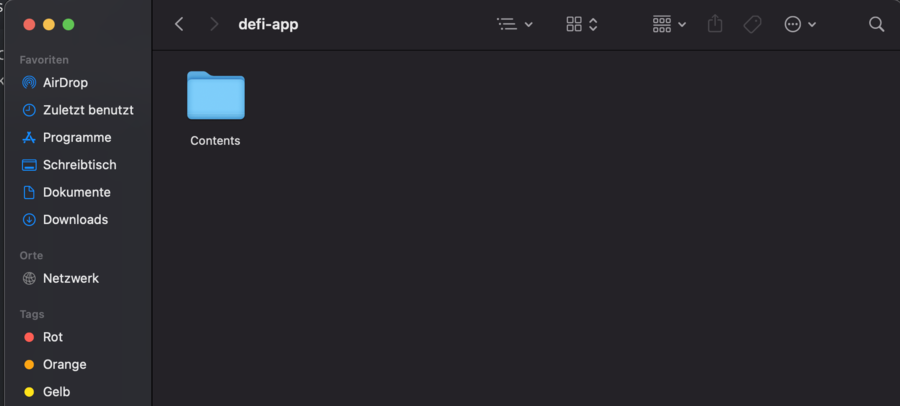
Show hidden folders
Windows
In the default setting hidden folders are not shown. For some troubleshooting of the DeFi App it is necessary to have access to these folders. To do this, proceed as follows.
View without hidden folders
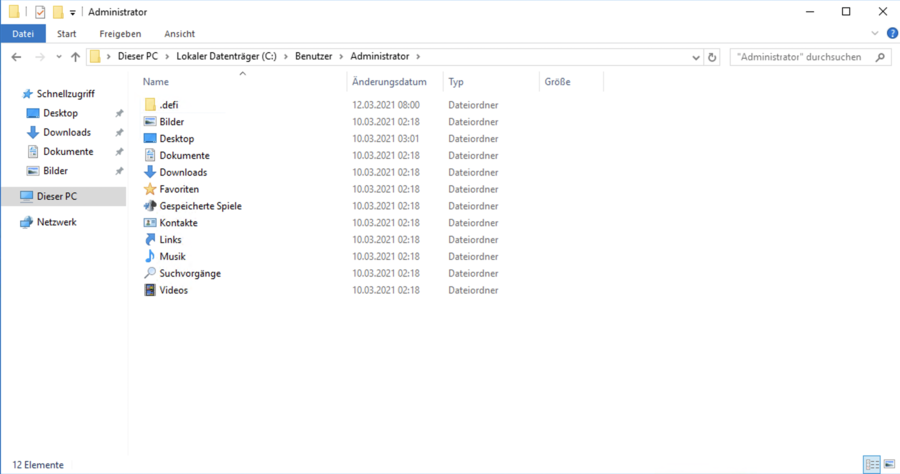
Activate display
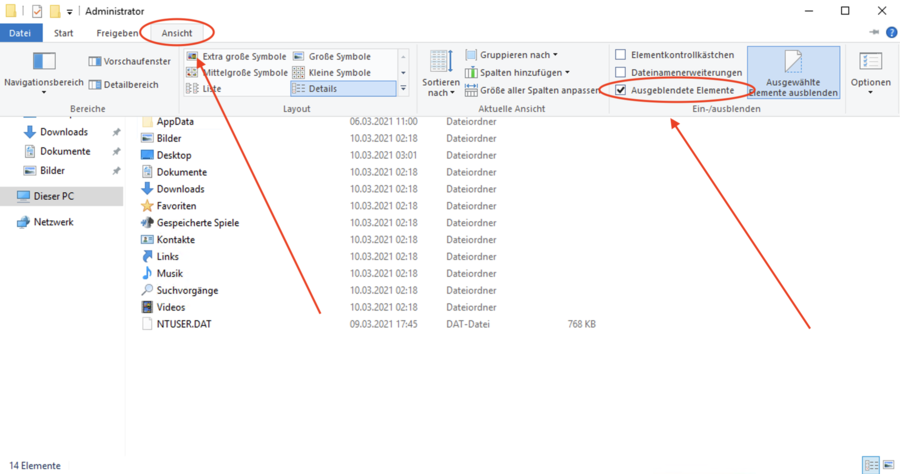
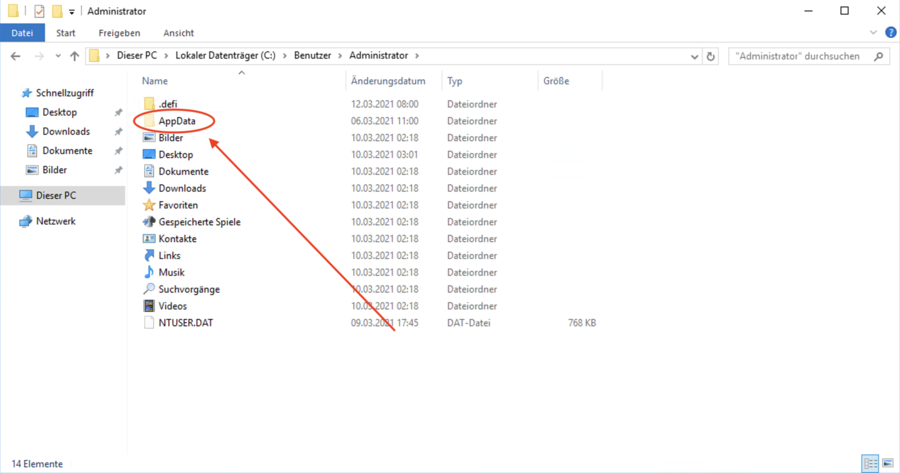
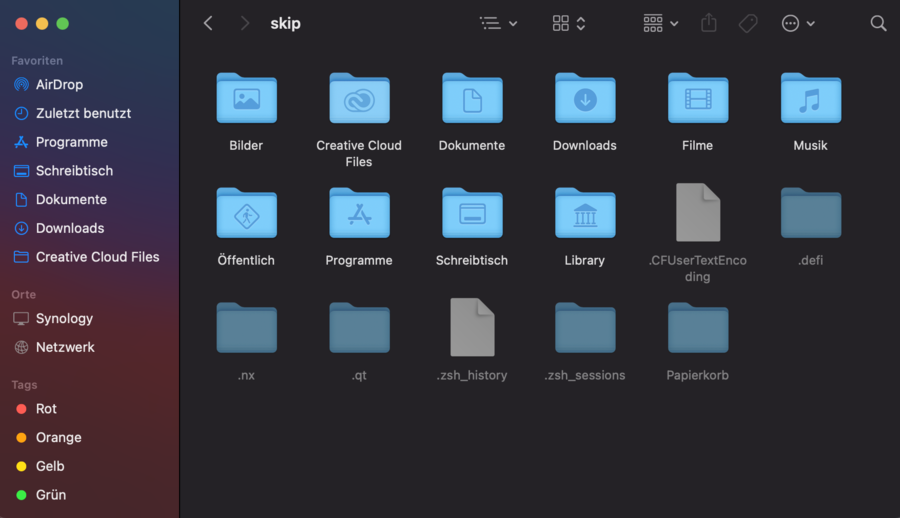
The hidden folders are now displayed
Mac
Hidden folders
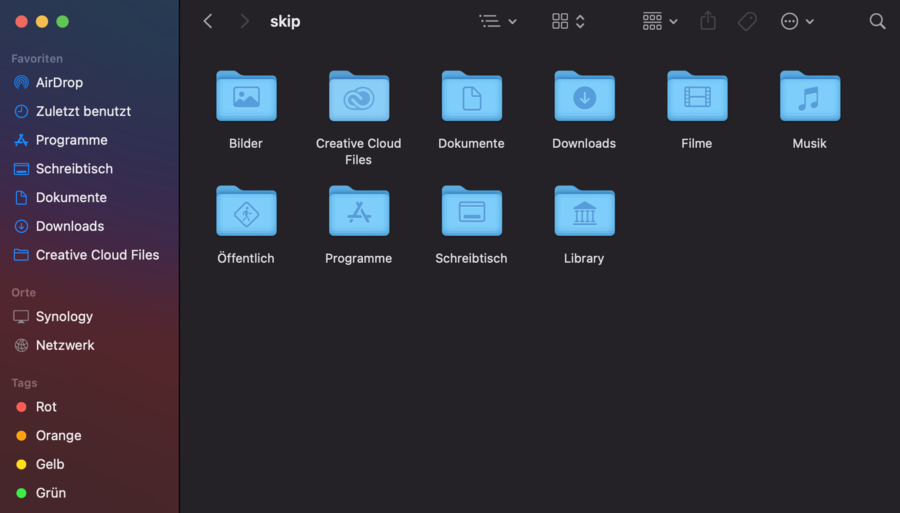
The following key combination can be used to display hidden folders in Mac OS.
[cmd] + [shift] + [.]
![[cmd] + [shift] + [.]](/assets/images/hiddenfolder_EN_4-398fdc7c3b9440bb4642cce69ca91ab3.jpg)
Before
After
Library
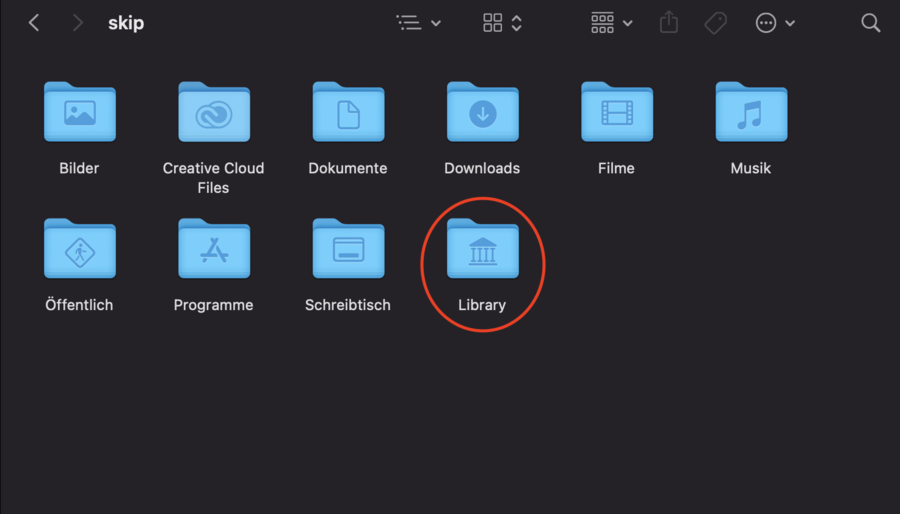
On Mac OS, access is often needed to the Library folder, which is not shown by default.
Library folder
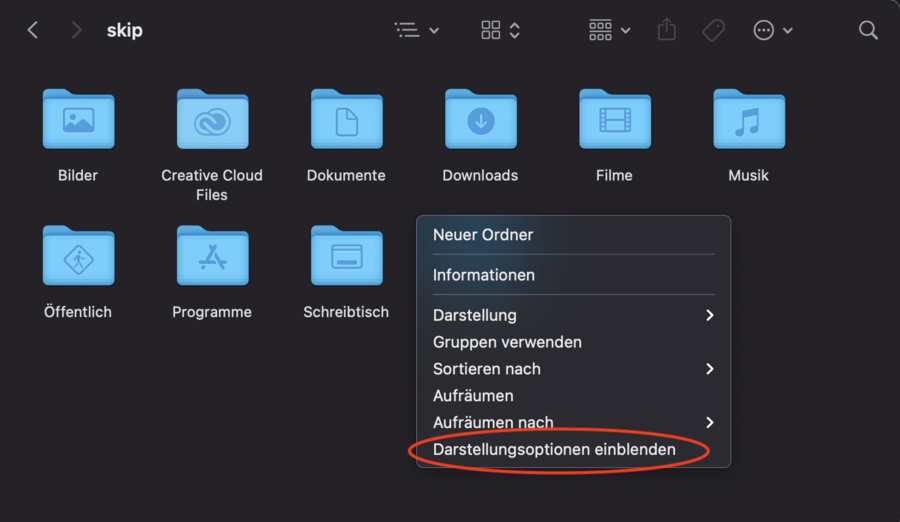
Do a right click and then click Show display options.
Show display options
Show Library folder
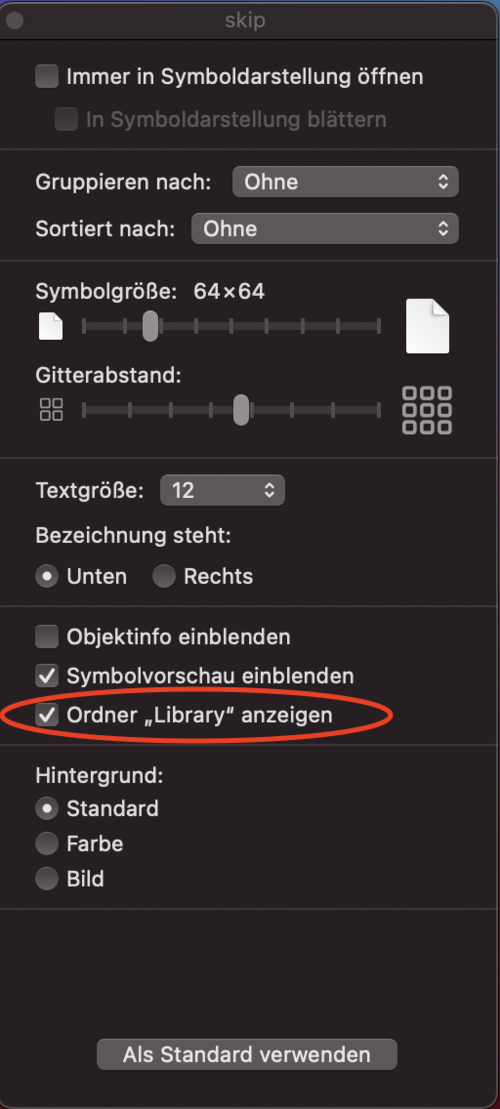
After that, the Library folder will be displayed correctly.
Files in an application
How to view files in an application. Example folder: /Applications/defi-app.app/Contents/Resources/binary/mac
Right-click on the application and then on Show Package Contents
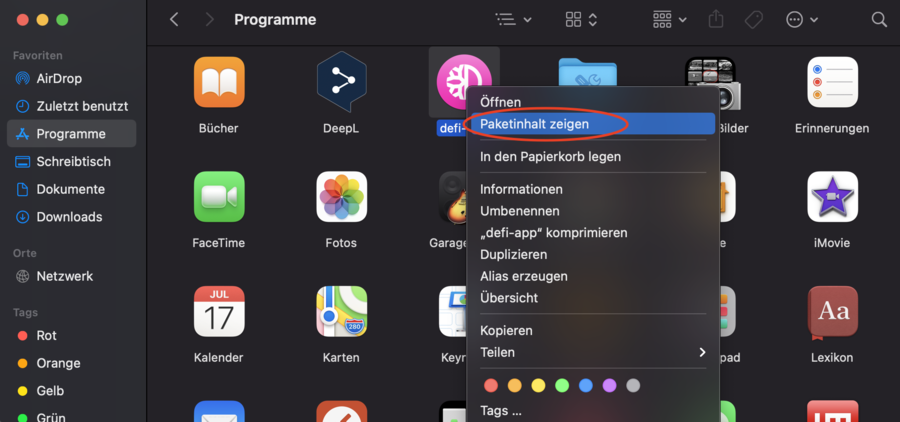
The folders in the application are now displayed